
Teach Me Anatomy
TeachMeSeries LtdMedical
4.4681.00 Reviews
- Version
- 5.115
- Installs
- 1.00M
- Age Rating
- Everyone
Screenshots
Our Review of Teach Me Anatomy
 Analysis by Appyee
When I use Teach Me Anatomy, I think of it less as a replacement for a course and more as a way to make anatomy easier to revisit in the moments between classes, work, or other commitments. It is a free medical learning app from TeachMeSeries Ltd, and its mix of explanations, visual material, and self-testing gives me several ways to approach the same subject. That flexibility matters: some days I want to read, while on others I need to check whether I can recall a structure without looking.
Building a useful study routine
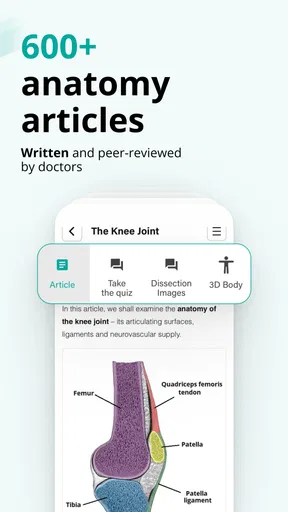
A practical way to use the app is to begin with one focused question rather than opening it with the vague goal of “studying anatomy.” For example, I might review a region I encountered in class, read the relevant explanation, inspect the accompanying visual, and then use a quiz or flashcards to find out what actually stuck. That sequence turns a short session into a small learning loop: encounter, inspect, retrieve. It is more useful than scrolling through material passively, especially when time is limited.
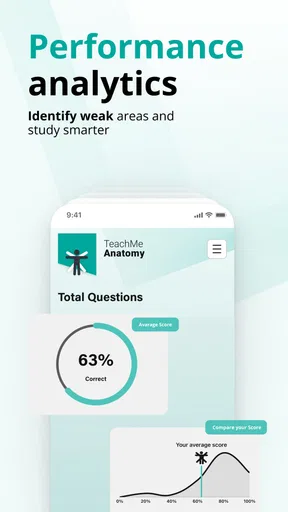
I also find it helpful to treat missed quiz questions as directions for the next session, not as a score to worry about. If I repeatedly confuse nearby structures, I can return to the relevant section and look for the spatial relationship that distinguishes them. This is where an anatomy resource can be more valuable than a general set of revision notes: the challenge is often not simply remembering a name, but understanding where a structure sits in relation to others.
Who benefits most—and who may prefer something else
The app is a good fit for medical and health-science learners who want a portable reference they can return to between formal teaching sessions. It can also suit curious readers who are comfortable learning from medical terms and diagrams, particularly if they like testing themselves rather than only reading. Its current version is 5.110, and the broad range of topics gives learners at different stages room to use it for review as well as initial exploration.
It is less suited to someone who needs a tightly guided beginner course with a fixed daily schedule, or to a learner who wants a single resource to replace lectures, lab work, and instructor feedback. Anatomy depends on accurate spatial understanding and repeated practice; an app can support that work, but it cannot provide the same hands-on teaching or discussion as a class. If you are studying for a specific assessment, I would use it alongside your syllabus and course materials rather than assuming every quiz maps directly to your exam.
Compared with a printed atlas, the app is easier to carry and lets me move between reading, 3D exploration, and self-testing without changing resources. A textbook may still be better when I want a stable page layout, extensive side-by-side comparison, or a long uninterrupted study session. Compared with short anatomy videos, the app encourages more deliberate inspection and recall, while a video can be better for a guided explanation of a process. I see these as complementary choices, not competitors where one must replace the others.
Making visual study work in different settings
In an everyday scenario, I might have ten minutes before a lecture or while waiting for an appointment. I can choose a single topic, look over the explanation and diagram, then attempt a few questions instead of trying to cram a whole body system into that gap. The benefit is not that a brief session makes me an expert; it is that the app makes a useful review possible without needing a desk, an open textbook, and a long block of free time.
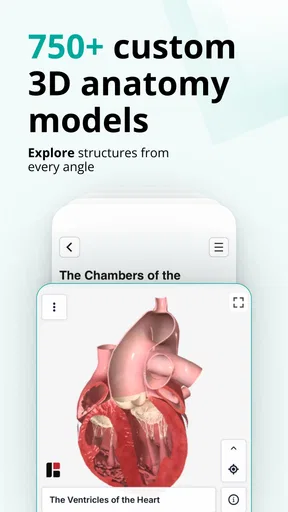
For 3D material, I get more out of a deliberate routine than a quick spin of the model. I first identify the structure I am trying to understand, then rotate or zoom to check its position from another angle, and finally return to the text or a quiz to see whether the visual inspection improved my recall. The trade-off is that interactive models can invite aimless exploration. If I do not set a question first, it is easy to spend time moving a view around without learning much.
For learners who find a dense page tiring, I would alternate reading with looking at a diagram and answering a question, rather than treating a long stretch of text as the only route through a topic. That is a study strategy, not a claim that the app offers specialized accessibility settings. The visual approach can help some people, but it will not suit everyone: a learner who needs highly adjustable presentation or a different format should check the app on their own device before relying on it as their main resource.
Access, cost, and practical limits
Teach Me Anatomy is rated for Everyone and is free to download, which makes it easy to try before deciding whether it belongs in a regular study routine. It has a 4.4 average from around 31,000 ratings, with more than 1 million installs. The app was released on March 23, 2016, and in-app purchases range from $7.99 to $269.99 per item, so I would check which learning materials are included and what a paid option covers before committing. The presence of purchases means “free” describes the download, not necessarily every part of the experience.
Offline access is useful when a connection is unreliable, but I would prepare before travelling rather than assume every item I might want will be available offline. The app’s device syncing is convenient if I move between a phone and tablet, although syncing is most helpful when I have a clear place to resume; switching screens alone does not make a study plan. For someone deciding whether to pay for anything, my advice is to spend time with the free experience first and identify a specific gap that a purchase would solve.
There are also ordinary screen-based limits to keep in mind. Detailed diagrams and 3D views are harder to study on a small display than on a larger tablet, and a phone can make precise inspection less comfortable. People who are sensitive to visual complexity may prefer shorter sessions with one structure at a time. If reading medical terminology is the main obstacle, the app’s approachable explanations may help, but they do not remove the need to learn the vocabulary itself.
First Impressions and User Interface
When I first opened Teach Me Anatomy, I was immediately drawn in by its clean and intuitive layout. The app is designed with a user-friendly interface that makes navigation a breeze. You’ve got your main sections right at the bottom, so whether you’re in the mood to explore the skeletal system or dive into the intricacies of the cardiovascular system, it’s all just a tap away.
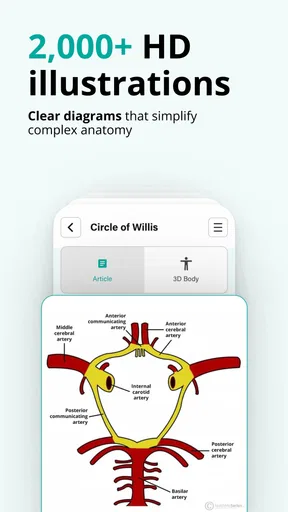
The app’s design is visually pleasing, with clear illustrations and diagrams that make learning anatomy less intimidating. I mean, who knew bones could look this good?
Content and Features
One of the standout features is the depth and breadth of the content. The app covers everything from the basics to advanced topics, making it suitable for both novices and seasoned learners. The 3D models are particularly impressive, allowing you to rotate and zoom in on structures for a closer look. It’s almost like holding a real heart or brain in your hand, minus the mess.
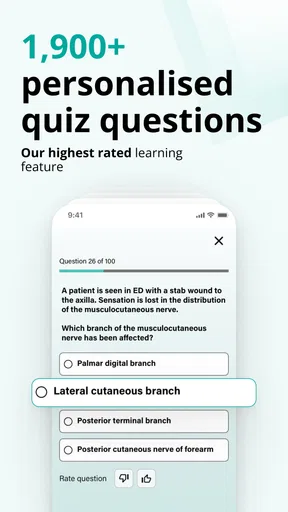
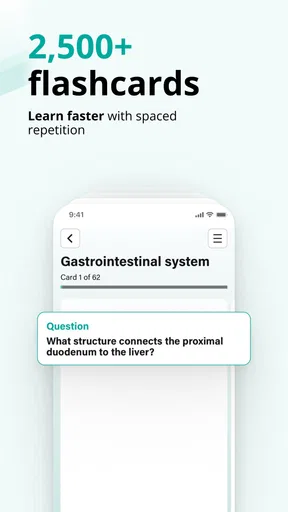
The app also includes quizzes and flashcards, which are perfect for testing your knowledge and reinforcing what you’ve learned. Trust me, there’s something satisfying about nailing those flashcard questions!
Learning Experience
Now, let’s talk about the learning experience. The app’s content is written in a way that’s informative yet easy to digest. It feels like a knowledgeable friend explaining things to you rather than reading from a dry textbook. The use of everyday language interspersed with medical terminology helps bridge the gap for those new to the subject.
I particularly enjoyed the clinical cases section. It’s one thing to learn about anatomy in isolation, but seeing how it applies to real-world scenarios adds another layer of understanding. It’s like, "Oh, that’s how this knowledge could actually save a life!"
Accessibility and Convenience
One of the major perks of Teach Me Anatomy is its convenience. Whether you’re commuting, waiting for a friend, or just chilling at home, you can whip out your phone and dive into some learning. The offline access feature ensures you’re not at the mercy of Wi-Fi, which is a big plus in my book.
The app syncs seamlessly across devices, so if you start a module on your phone, you can pick it up on your tablet without missing a beat. It’s those little things that make a big difference.
Final Thoughts
So, what’s the verdict? Teach Me Anatomy is a must-have for anyone with a keen interest in anatomy, whether you’re a student, a professional, or just a curious mind. It combines detailed content with interactive features that make learning anatomy not just educational, but genuinely enjoyable.
If you’re looking for an app that’s both informative and engaging, Teach Me Anatomy should definitely be on your download list. It’s like carrying a mini anatomy lab in your pocket, ready to satisfy your curiosity anytime, anywhere.
My inclusive verdict
For me, the strongest point is the choice of learning modes: text, diagrams, models, quizzes, flashcards, and clinical cases give me different ways to approach anatomy rather than forcing every topic into one format. That can make the app easier to fit around varied study habits and daily routines. Still, flexibility is not the same as universal access. Visual detail, medical vocabulary, and small-screen interaction can all become barriers, so I would try it on the device and in the setting where I expect to study.
I would recommend it as a companion for learners who want to revisit anatomy in manageable pieces and connect written explanations with spatial exploration. I would not make it my only resource if I needed formal teaching, highly tailored presentation options, or a course designed around a particular exam. Used with realistic expectations, it offers a convenient way to keep anatomy close at hand—and the best results come when I bring a specific question to each session.
Verdict
Strengths of Teach Me Anatomy
- Comprehensive anatomy coverage.
- User-friendly interface design.
- Frequent content updates.
- Interactive 3D models included.
- Offline access available.
Limitations of Teach Me Anatomy
- Requires in-app purchases.
- Limited quiz variety.
- Some ads in free version.
- Occasional app crashes.
- High storage usage.
Similar Picks in This Category
View All
WebMD: Symptom Checker
WebMD, LLC4.1

Microphone Amplifier
DOSA Apps4.2

Anatomy Learning - 3D Anatomy
3D Medical OU4.5

Period Tracker and Calendar
SimpleInnovation4.9

GoodRx: Prescription Coupons
GoodRx4.8

CVS Health
CVS Pharmacy4.5
Frequently Asked Questions
What is Teach Me Anatomy and who is it for?
Teach Me Anatomy is a comprehensive educational app designed for medical students, healthcare professionals, and anatomy enthusiasts. It provides detailed anatomical content, including diagrams, articles, and quizzes. The app is suitable for anyone looking to deepen their understanding of human anatomy, whether for professional development or personal interest.
Is Teach Me Anatomy available on both Android and iOS devices?
Yes, Teach Me Anatomy is available for download on both Android and iOS platforms. You can find it on the Google Play Store for Android devices and the Apple App Store for iOS devices. This ensures a wide range of accessibility for users regardless of their preferred operating system.
Does Teach Me Anatomy require an internet connection to use?
Teach Me Anatomy offers offline access to its content, which means you can explore the anatomy resources even without an internet connection. However, some features, like updates or certain interactive elements, might require internet access. This makes it convenient for users studying in areas with limited connectivity.
Are there any subscription costs or in-app purchases in Teach Me Anatomy?
Teach Me Anatomy offers both free and premium content. While the app provides a substantial amount of free material, users can opt for in-app purchases or subscriptions to unlock advanced features, additional content, and ad-free browsing. This model allows users to tailor their learning experience based on their needs and budget.
How user-friendly is the Teach Me Anatomy app for beginners?
Teach Me Anatomy is designed with a user-friendly interface, making it accessible for beginners. The app includes intuitive navigation, clear labeling, and helpful tutorials to guide new users. This ensures that even those with minimal prior knowledge of anatomy can effectively utilize the app's resources for learning and revision.
